

Curious about split keyboards, but overwhelmed by the myriad options for every little thing? You should start with [thehaikuza]’s excellent Beginner’s Guide to Split Keyboards.
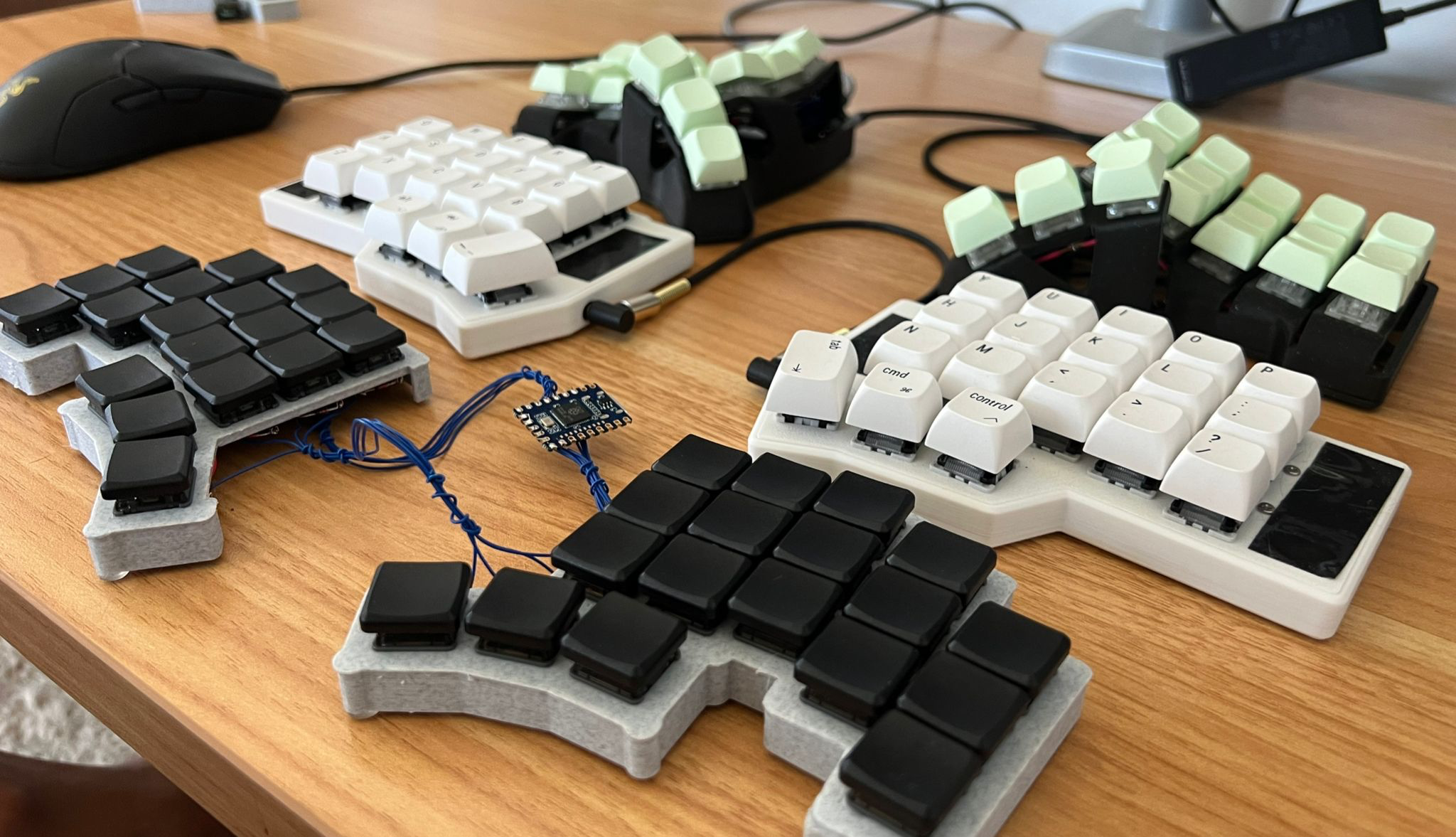
He then gets into the types of keyboards — you got your standard row-staggered rectangles that we all grew up on, column-staggered, and straight-up ortholinear, which no longer enjoy the popularity they once did.
At this point, the guide becomes a bit of a Choose Your Own Adventure story. If you want a split but don’t want to learn to change much if at all about your typing style, keep reading, because there are definitely options.
But if you’re ready to commit to typing correctly for the sake of ergonomics, you can skip the Alice and other baby ergo choices and get your membership to the light side. First are features — you must decide what you need to get various jobs done. Then you learn a bit about key map customization, including using a non-QWERTY layout. Finally, there’s the question of buying versus DIYing. All the choices are yours, so go for it!
Via reddit
Is That a Bat In Your Pocket?
Need something ultra-portable for those impromptu sessions at the coffee shop (when you can actually find a table)? You can’t get much smaller than the 28-key Koumori by [fata1err0r81], which means “bat” in Japanese. Here’s the repo.
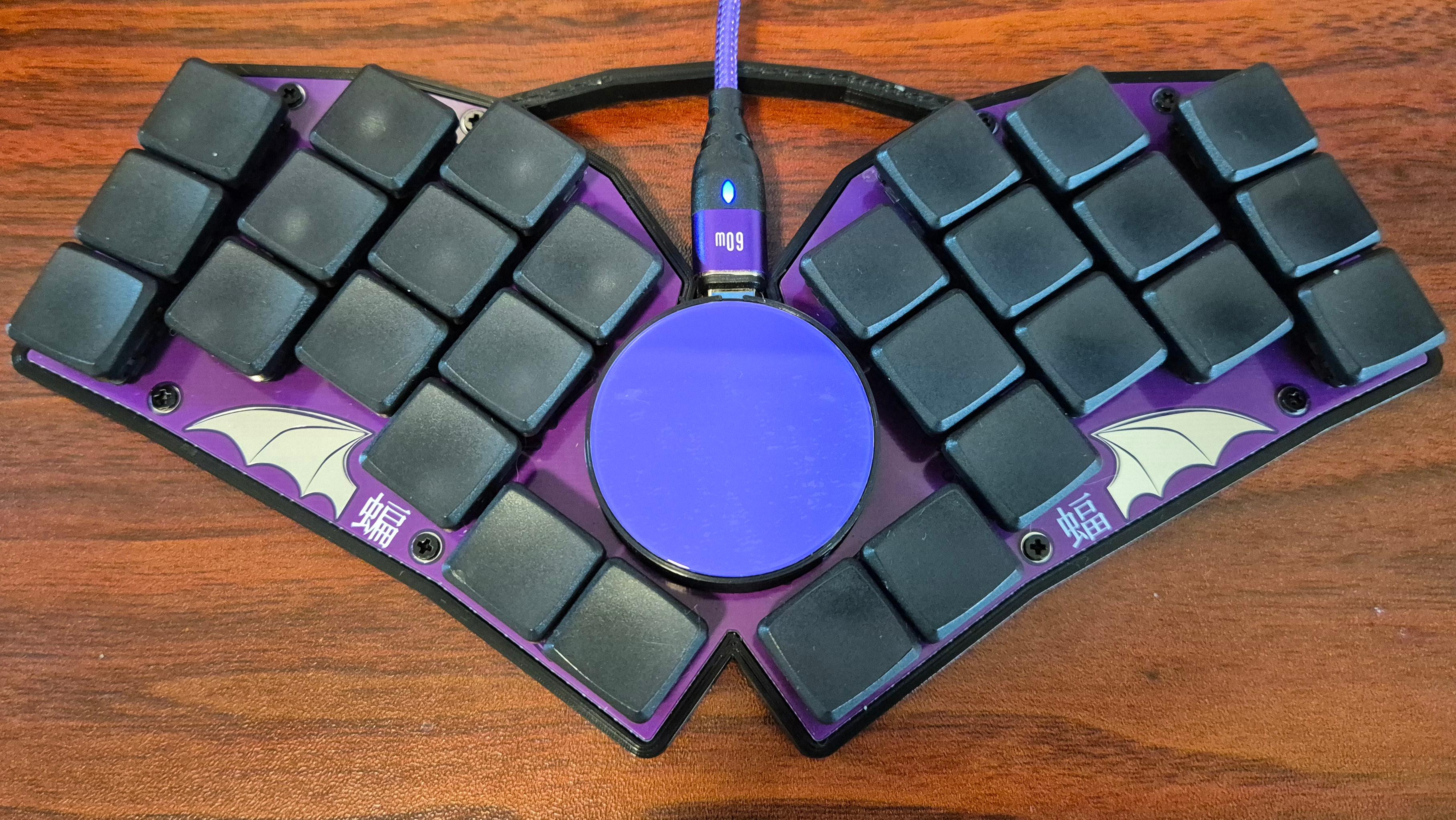
Protecting that glass overlay is a case with a handle and a magnetic lid. Both the PCB and the case were designed in Ergogen, which as you know, I really like to see people using.
As you might have guessed, those are Kailh V1 choc switches with matching key caps. If you want a bat for your pocket, the build guide is simple, and there aren’t even any microscopic parts involved.
The Centerfold: [arax20]’s Been Workin’ On the Railroader
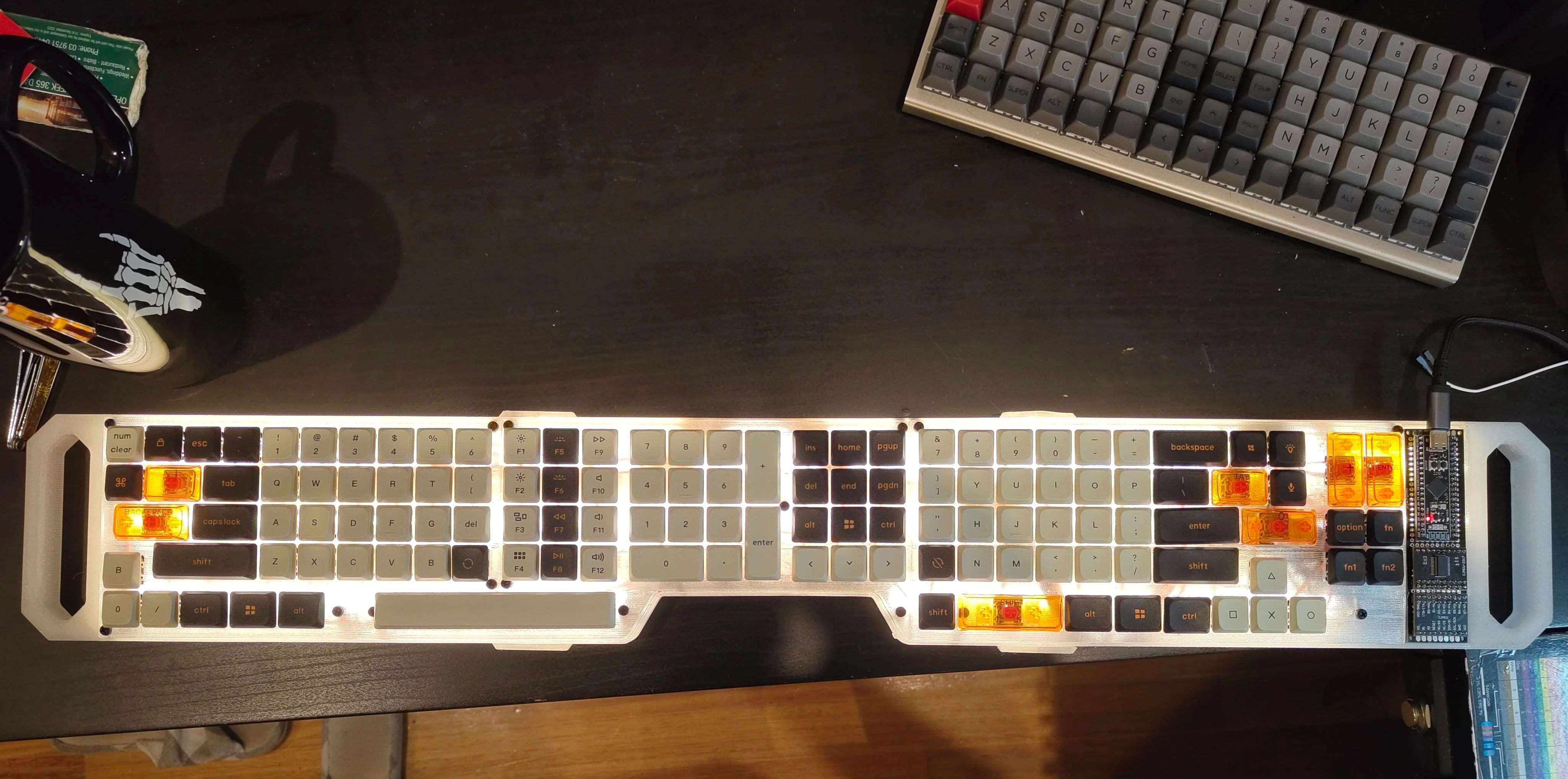
So [arax20] built this as a gift for an ex. She likes the ergonomics of splits, but didn’t want cables between the halves and feels the space between is otherwise wasted. Really? There’s so much you can put there, from cats to mice to coffee mugs.
Do you rock a sweet set of peripherals on a screamin’ desk pad? Send me a picture along with your handle and all the gory details, and you could be featured here!
Historical Clackers: the Mysterious Rico
Frustratingly little is known about the Rico, a 1932 index machine out of Nuremburg, Germany. But the Antikey Chop has over a dozen books on typewriters, and only two have any mention of the Rico: Adler’s Antique Typewriters, From Creed to QWERTY, and Dingwerth’s Kleines Lexikon Historischer Schreibmaschinen.
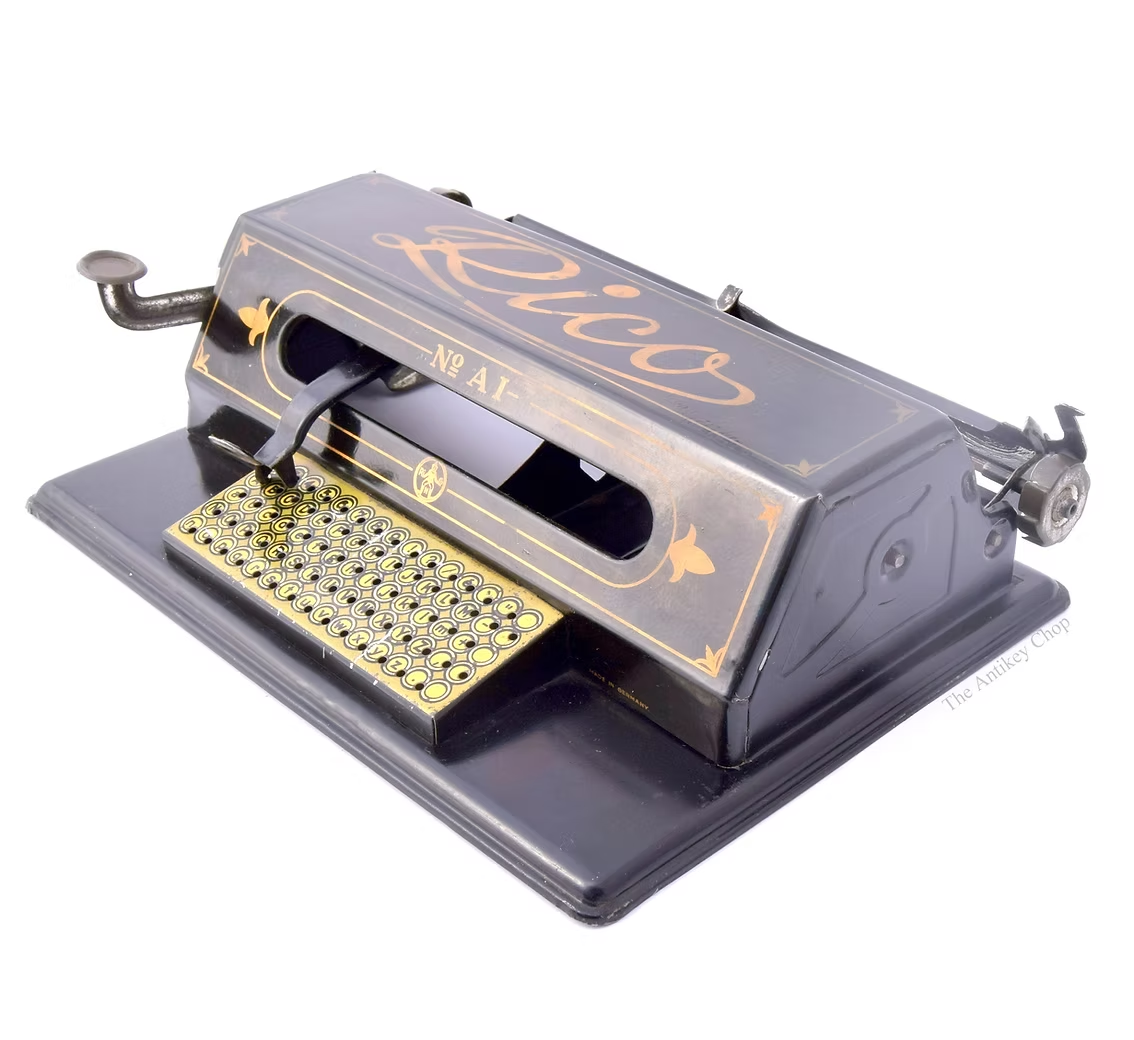
Adler calls it a “pleasant toy typewriter with indicator selecting letters from a rectangular index”, saying nothing more descriptive. Dingwerth’s volume both dates the Rico and lists the maker as Richard Koch & Co. of Nuremburg.
The Rico was ambitiously declared the No. A1 model, though there is no evidence of any other model in existence. It was made mostly of stamped tin, though the type element was made of brass. The type element looked like a tube cut in half lengthwise, and worked in a similar fashion to the Chicago typewriter with its type sleeve.
There are some interesting things about the Rico nonetheless. The platen could not accommodate paper wider than 4″, for one thing. There is also no inking system to speak of. Weirder still, this oversight isn’t mentioned in the original instructions. Most people just taped a couple inches of typewriter ribbon between the element and the platen and called it good .
To use the thing, you would move the center lever to the character you wanted. The lever has a pin in the bottom, and each character has a dimple in it for the pin to sit. The lever on the left side was used to pivot the carriage toward the type element in order to print. In total, the Rico typed 74 characters plus Space.
Finally, Someone’s Made a Braille Keyboard, and It’s Inexpensive
Once upon a time, New Jersey high schooler Umang Sharma saw an ad for a Braille keyboard. The price? A cool seven grand. For a keyboard. No problem, he thought. I can build my own.
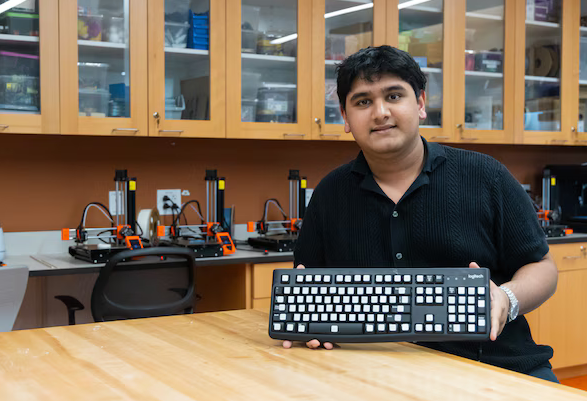
The astute among you will notice that there’s a Logitech keyboard in the picture, with what look like key cap hats. That is exactly what’s happening here. Sharma starts with a standard keyboard base, one that is usually either donated or was previously discarded.
He then focuses on the most important accessibility layer, which is tactile Braille key caps that are both readable and durable. In 2022, Sharma launched the non-profit Jdable to bring affordable, accessible design to people with disabilities.
He designed the key caps himself, and uses a combination of 3D printing and other materials to create them in bulk. They’re printed using a combination of PETG for toughness, TPU for grippiness, and resin for definition. The key caps are attached to the standard set with a strong adhesive.
Sharma has a team of student volunteers that help him build the keyboards and distribute them, and they have reached nearly 1,000 blind or visually-impaired students in the U.S. and abroad.
Got a hot tip that has like, anything to do with keyboards? Help me out by sending in a link or two. Don’t want all the Hackaday scribes to see it? Feel free to email me directly.


No comments:
Post a Comment